
Gmail
Turn selected, labelled emails into notes you can act on.
Label: BeginNotesSee Google setupA LITTLE CLARITY, EVERY DAY Free early access
The thought after a call. A link for later. Your next small step.
Keep them in one calm, searchable place.
Try without an account · Sign in for account sync · No card needed
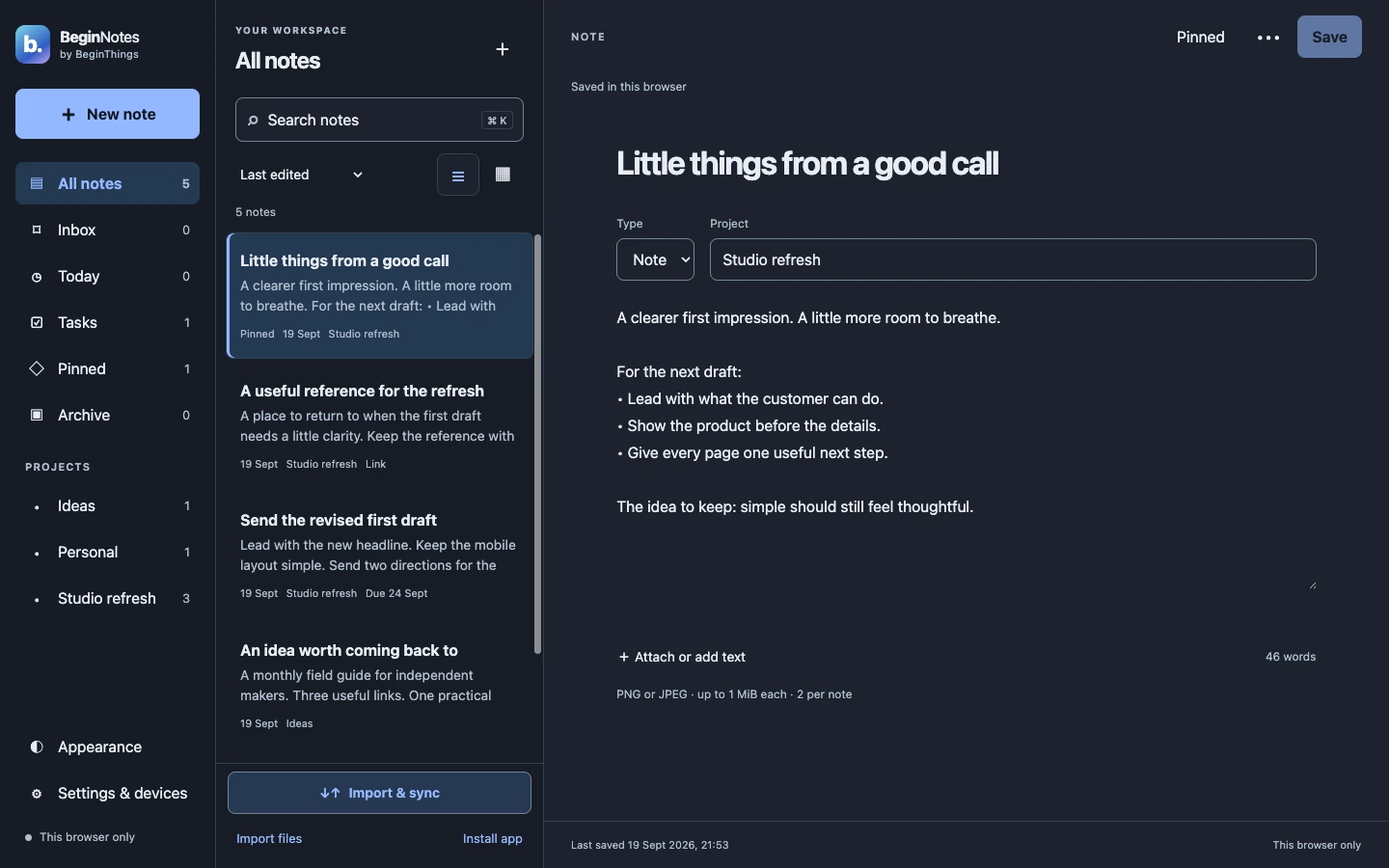
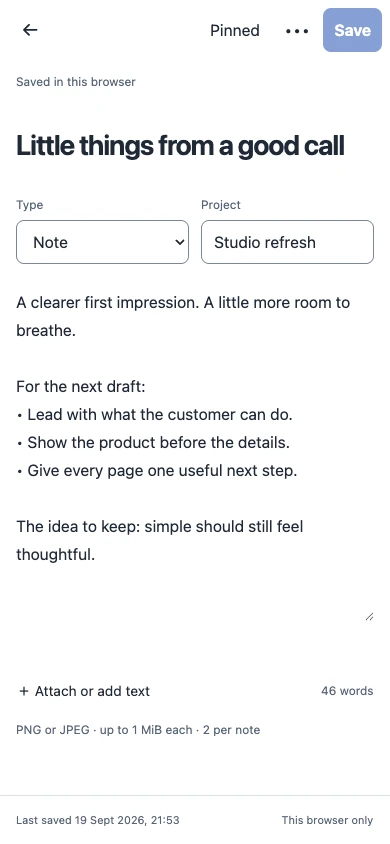
A web app, wherever
you like to work.
FROM “DON’T FORGET” TO “FOUND IT”
Ideas don’t arrive in order.
Your notes don’t have to, either.
All of it, one search away.
Studio refresh
Lead with the useful part. Keep the first screen simple. Give the next idea a little breathing room.
YOUR TOOLS. YOUR CHOICE.
Start with paste and file import.
Add a capture workflow when you’re ready.
Turn selected, labelled emails into notes you can act on.
Label: BeginNotesSee Google setupBring marked events into your notebook as dated tasks.
Mark with #beginnotesSee Google setupSave selected text and links from Chrome or Edge.
Unpacked development extensionSet up browser captureSend text and links from n8n, Make or Zapier with an HTTP action.
Your trigger + capture credentialBuild a workflowConnectors need setup and permission. Imports are separate copies; edits and deletions do not sync back to the source app.
Copy a message, paste selected text, or choose a screenshot from your device. Your original stays where it is.
Manual capture only. BeginNotes does not automatically read these apps, chat histories or saved collections.
Open the web app in your browser. Keep it in a tab, or use your browser’s install option when offered.
Mac, Windows & Linux · browser access
Use your mobile browser. On supported devices, add BeginNotes to your home screen for quicker access.
Web app · no App Store or Play Store download
Sign in to the same account to access saved notes in another browser. Refresh account notes when you want to check.
Online account sync · guest notes stay local
Installation and sharing depend on your browser and device. A platform icon describes browser access, not a native app download.
A note, selected email, link or event.
Choose a project. Add capture rules.
Find saved notes in your account.
Set included and excluded keywords, source, weekdays, dates, time windows and time zone. Pause a workflow when you need a break.
Rules check when a capture arrives. Google imports run when your configured connector checks in; “Pull selected apps” requests a check, rather than an instant import.
Read the setup & limits guideLESS EXPLAINING. MORE SHOWING.
30 seconds. Real interface. Sample notes.
A guided tour, with on-screen explanations.
Silent guided tour. Use the player controls to pause or expand.
Write a note and choose a project. Keep client feedback and useful ideas together. Turn a next step into a dated task; task dates do not schedule notifications. Switch between dark and light appearance to suit your reading. Use the editor on a smaller screen. Guest notes stay in one browser; sign in to access saved account notes elsewhere when online. Connectors are optional and require setup.
A WORKSPACE THAT MEETS YOU HALFWAY
Choose light or dark. Give your words more room. Adjust text size and spacing, or switch between a list and a grid.
Good ideas can start
with a single sentence.
Reading controls in the app · preferences stay on each device
SIMPLE FROM THE START
No account needed. Guest notes stay on this device. Export anything important before clearing browser data.
200 notes and 20 MiB of encoded storage in free early access. Encrypted at rest on BeginThings hosting; not end-to-end encrypted.
Storage & privacyYes. Start as a guest and save notes in this browser. Sign in with an email magic link when you want account storage. Guest notes are separate; signing in does not automatically upload them. The app offers an explicit copy-to-account action.
Saved BeginNotes account notes are available when you sign into the same account in another browser. Open tabs refresh periodically; closed or offline apps catch up when reopened online. “Refresh account notes” checks saved account content. “Pull selected apps” requests new imports from a configured Google connector. Imports are copies, not two-way sync.
BeginNotes is a responsive web app. Open it in your mobile browser, and use Add to Home Screen or Install when your browser offers it. There is no native Play Store or App Store release. Installation and incoming sharing vary by browser and device.
Install the personal Google Apps Script connector and approve Google access. Label selected Gmail messages BeginNotes, or mark primary-calendar events #beginnotes. On first connection, both sources and automatic imports start enabled. Review source choices in Import & sync before labelling or marking content. Google’s read-only permission is broader than the script’s label and tag filters. Follow the setup guide.
Text, Markdown as text, BeginNotes JSON, and selected PNG/JPEG images. Attach up to two images per note, each at most 1 MiB after processing and four megapixels. Account storage includes encoded image data. Screenshots remain images; AI processing, OCR and voice recording are not included.
BeginNotes is a separate BeginThings tool using your existing BeginThings account. Free early access does not require a BeginRooms subscription. The two apps do not currently share or automatically transfer note content.
Guest notes stay in this browser. Account notes use server-side encryption and are not end-to-end encrypted. Note content is not used for advertising or analytics. If an account save fails, keep the page open and export the draft before closing or reloading. Device contact history is not a delivery or read receipt.

ONE NOTE IS A GOOD START
Free early access · No card required
Product names and marks belong to their respective owners and identify compatibility or capture options; they do not imply endorsement. Icons sourced from Simple Icons. The Android robot is reproduced or modified from work created and shared by Google and used according to terms described in the Creative Commons 3.0 Attribution License.