See what you canmake happen. Real scenarios, short demonstrations and practical guides for organising projects, working with files and moving your next idea forward.
WHAT ARE YOU WORKING ON? Organise a project Work with files Capture ideas Share & promote Manage client work 01 / A PROJECT, WITH ITS CONTEXT
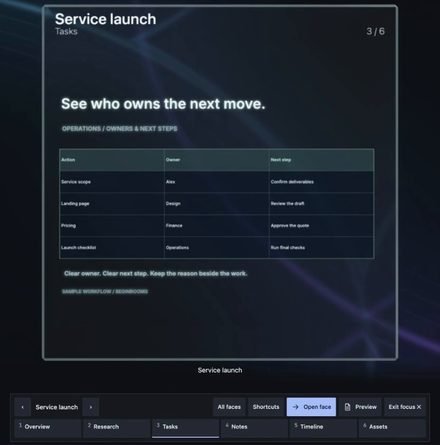
The brief. The budget.The bigger picture. Bring the working parts of a client launch into one project cube. Open a canvas face for the brief, map the process, and keep the budget and handoff close.
SMALL SCENARIOS. USEFUL OUTCOMES.
See it in practice. Start with a familiar problem. Follow the example, read the detail, then choose the tool that fits.
WORKED EXAMPLE Sample data
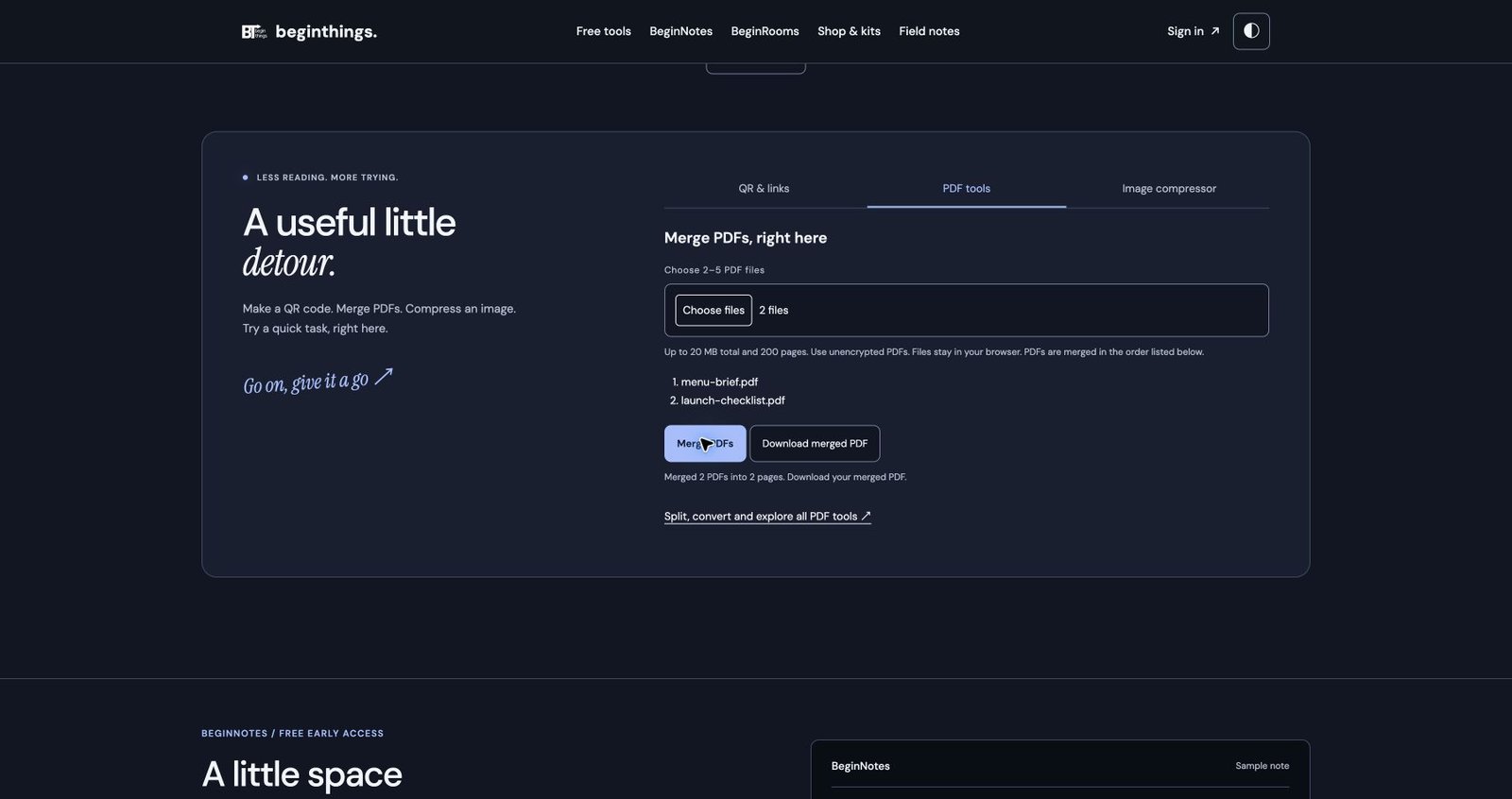
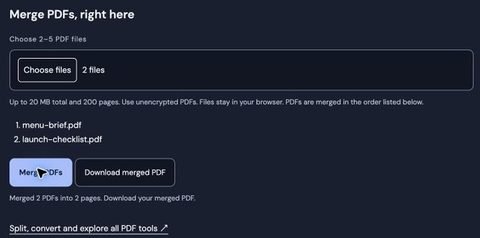
Two files. One client handoff. SAMPLE DOCUMENT Project brief
SAMPLE DOCUMENT Launch checklist
Decide what your client actually needs before sending a folder of attachments.
Put the reading order first. 01 Brief and expected outcome
02 Checklist and next action
03 Review the exported pages
Choose the pages, put them in a useful order and compare the final file.
02 / FILES & HANDOFFS
Make the handoff easy to follow. A brief and checklist are more useful when the recipient knows which file to open and what to do next.
WORKED EXAMPLE Sample data
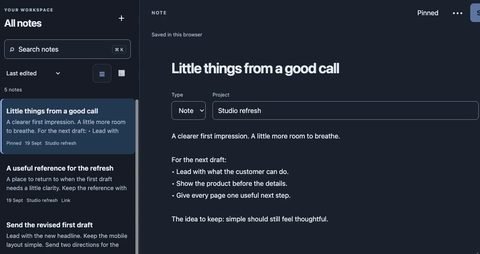
“I know I wrote that somewhere.” Lead with the result. Keep the first draft simple.
Give the useful part of a conversation a clear title and a project.
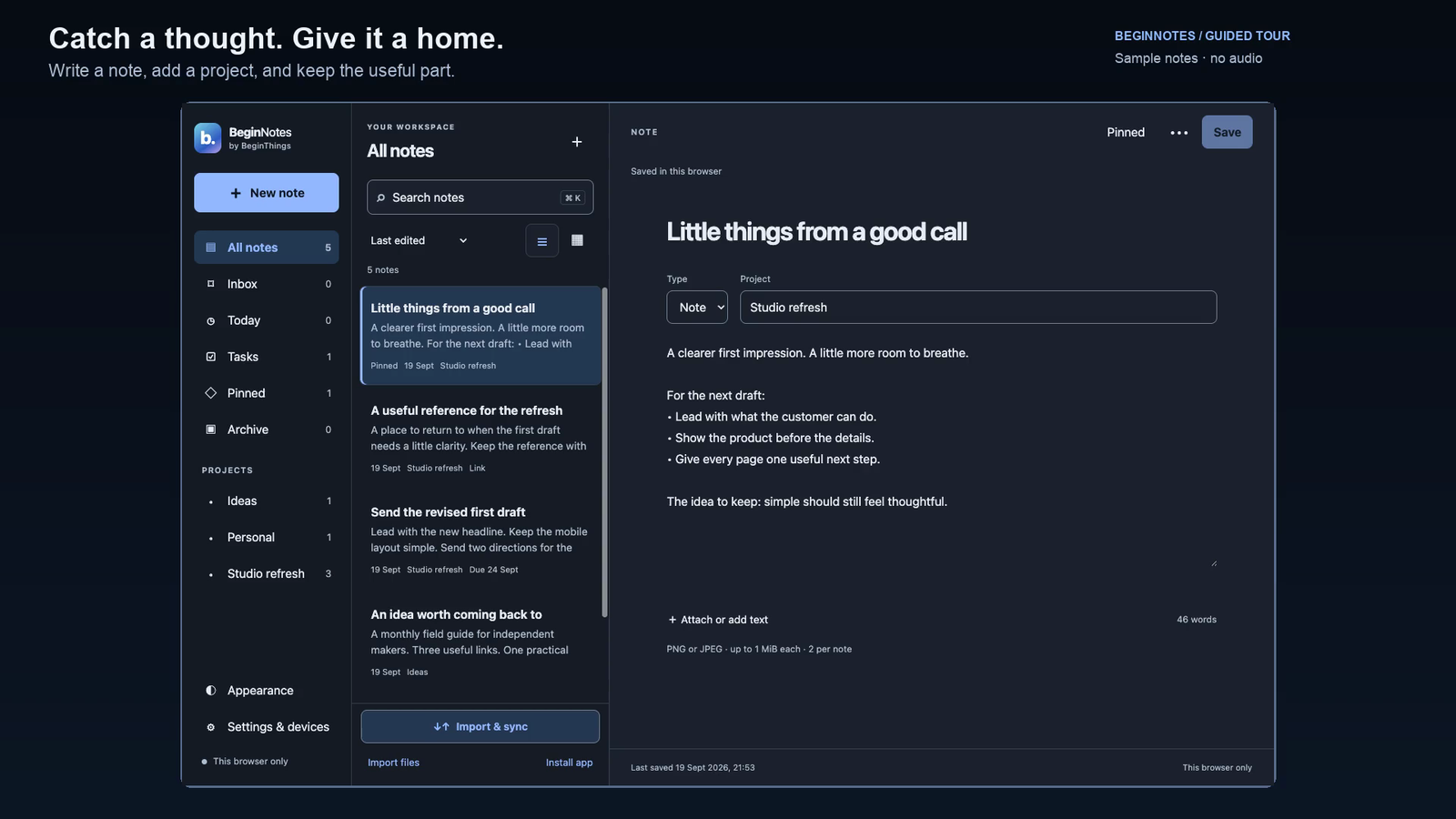
Separate the thought from the task. 01 Note: what changed after the call
02 Reference: the example worth keeping
03 Task: send the revised first draft
A short note preserves the context; a specific action makes it easier to resume.
Actual BeginNotes capture with sample notes. Review local saving and account options for your workflow.
View full-size capture 03 / NOTES & NEXT STEPS
Keep the thought. Find the next move. A meeting note, a useful reference and one next action belong close enough to find again.
WORKED EXAMPLE Sample data
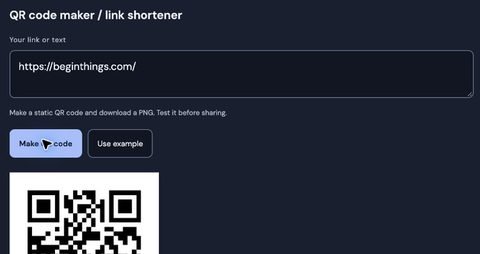
A QR code is the start of a visit. Event poster Programme page Choose the exact destination your reader expects from the label.
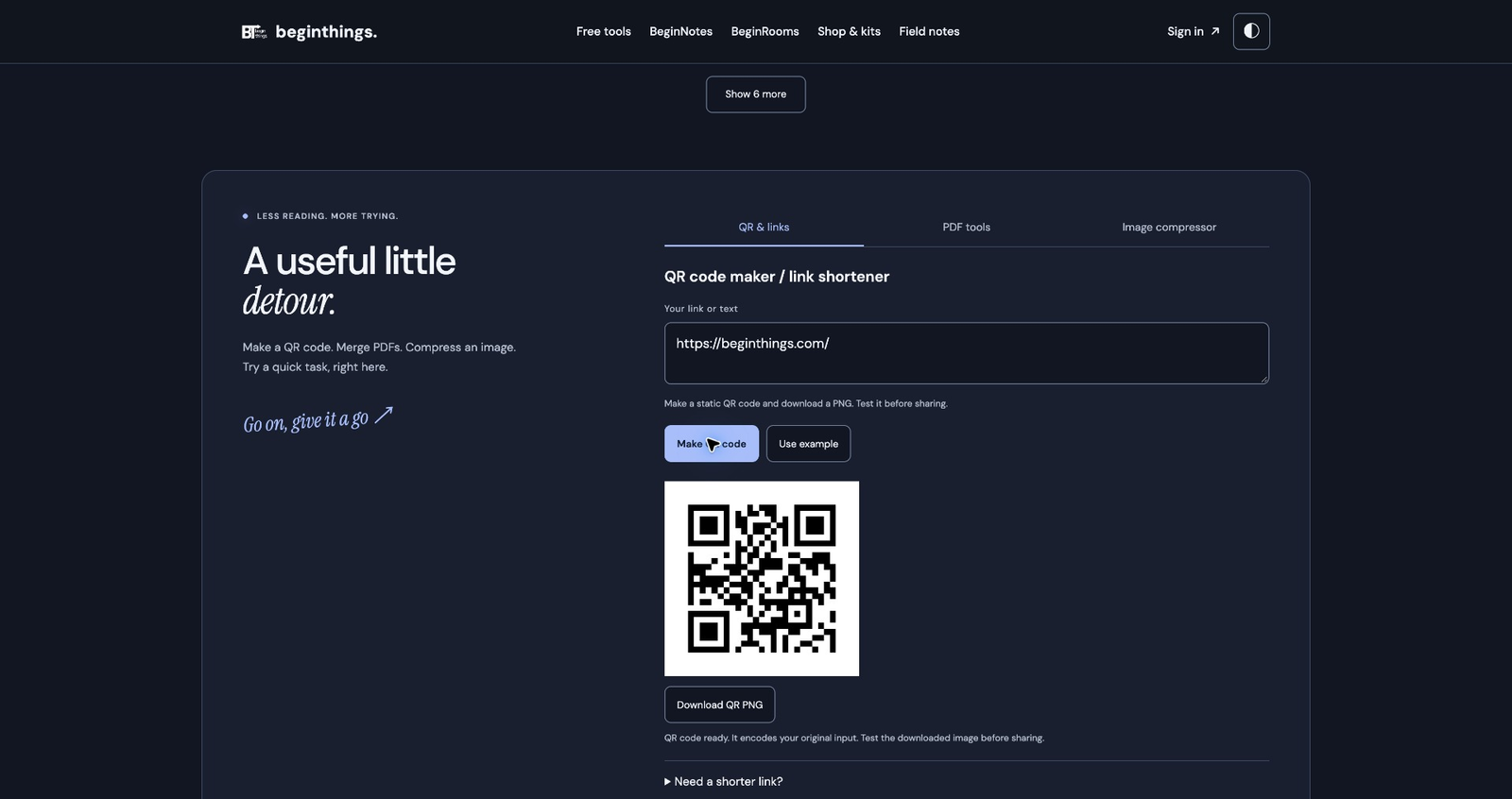
Name the action. Test the route. 01 Choose a stable destination
02 Add a clear nearby label
03 Scan the final artwork
“View the programme” is clearer than an unexplained square. Test the final size on another device.
Actual product capture: a QR code for BeginThings.com. Choose your own destination and test the downloaded code.
View full-size capture 04 / LINKS & PROMOTION
Give every scan a useful destination. Connect a poster, profile or presentation to a page that answers the next question.
WORKED EXAMPLE Sample data
Start with the space on the page. A wide header and a small article card need different image dimensions. These are example sizes.
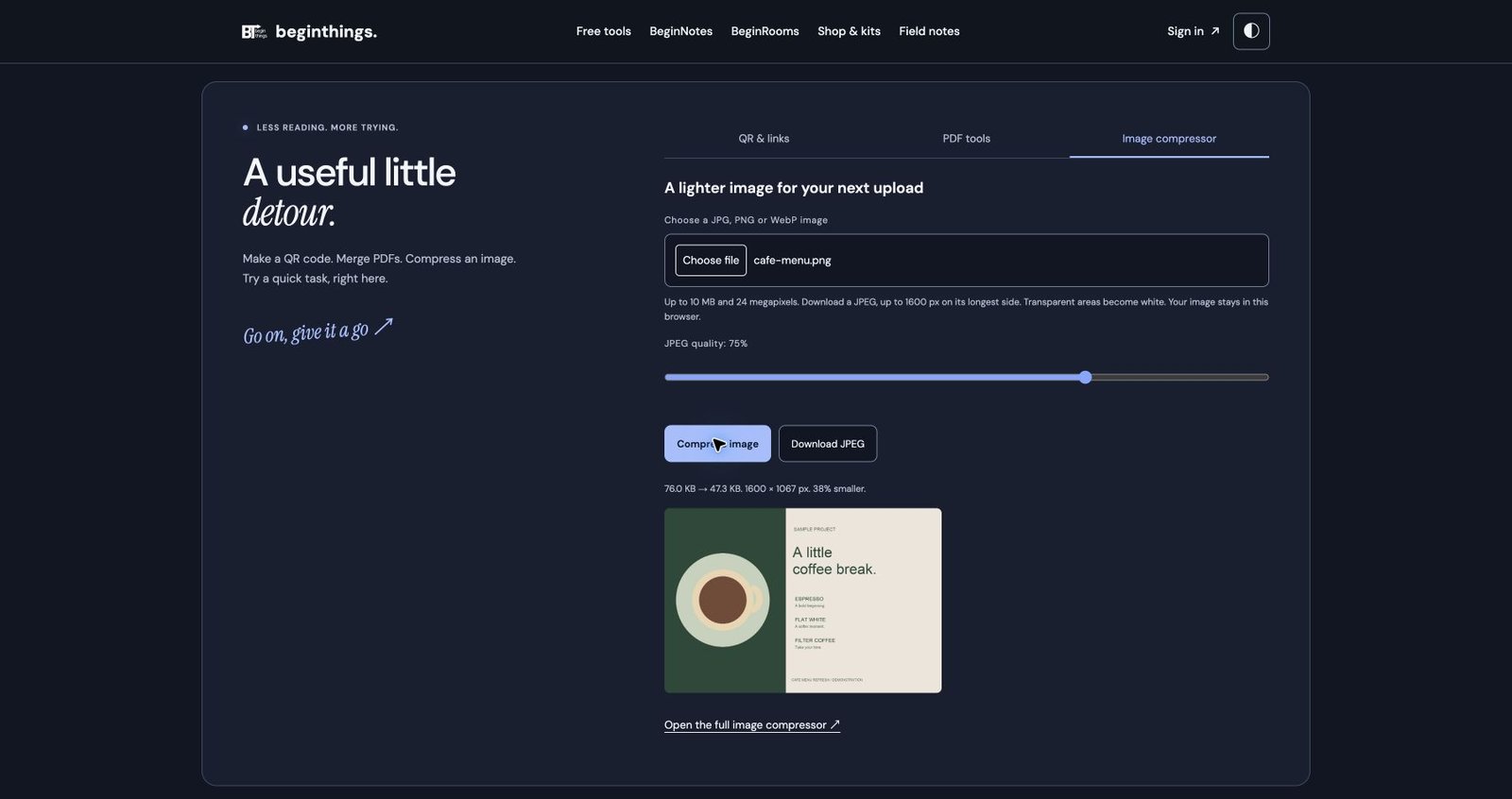
Compare more than the number. 01 Choose dimensions for the layout
02 Compare an appropriate output format
03 Check detail and file size
Check text, fine lines, faces and transparency at the size visitors will actually see.
Actual sample result: 76.0 KB → 47.3 KB. Savings depend on the image and settings; compare the output quality.
View full-size capture 05 / IMAGES & PUBLISHING
Keep the detail. Lose the excess. Prepare an image for the space it will occupy, then compare quality and file size before publishing.
WORKED EXAMPLE Sample data
A project is delivered. A balance remains. FICTIONAL EXAMPLE INV-104 · ₹30,000 Paid ₹18,000
This fictional example is a reminder draft, not a payment instruction or legal template.
Give the recipient the useful facts. 01 Invoice reference and outstanding balance
02 A clear, courteous request
03 A route for questions or corrections
Check the agreed due date and payment record before writing.
Ready to review before sending. DRAFT EXCERPT A clear follow-up Hi Maya, ₹12,000 remains on invoice INV-104. Could you confirm the expected payment date?
Edit the wording for the real agreement and confirm the figures. Sending remains your decision.
06 / CLIENT WORK
Make the next payment step clear. Keep the invoice reference, amount remaining and requested action together. Use a calm, specific message.
A LITTLE DIRECTION
Start here. Keep going. Three short reading paths for the work in front of you.
THE RESOURCE LIBRARY
Find your next useful read. Guides, examples and product context. Search by the task, the tool or the question on your mind.
Search resources ProductAll products BeginRooms BeginNotes Free tools Client work & kits Clear filters
All topics Projects Files & privacy Notes & ideas Links & promotion Client work Focus
36 resources
No single size fits all Strictest cap 20 KB
Forms checked 23
Images Photo and signature KB and pixel rules for 23 Indian exams and government forms, from the official notices, with a source link on every row.
Same inputs, opposite directions Reading Ease higher is easier
Grade Level higher is harder
Writing The two Flesch readability formulas, worked by hand on two short texts, with a JavaScript version and why different tools give different scores.
Hit the limit, keep it sharp 1. Quality binary search
2. Pixels only if needed
Images How to hit a form’s 20 KB or 50 KB limit with canvas: binary-search JPEG quality, shrink pixels only as a last resort, and respect the minimum too.
Actual BeginNotes Notes & tasks Turn a meeting note, reference link and next action into a useful project record with a worked BeginNotes example.
Before the first reminder Invoice number, amount and due date Subtract payments already received Ask for one specific next step Freelance payments Draft a polite overdue invoice or payment letter with invoice details, a clear request and a worked partial-payment example. Free editable wording for freelancers.
A ₹30,000 project, three milestones
Deposit · 40% ₹12,000
Design approved · 30% ₹9,000
Final handoff · 30% ₹9,000
Total ₹30,000
Freelance payments Plan a freelance deposit and milestone schedule with a ₹30,000 worked example, editable wording, scope-change notes and a client handoff checklist.
Sample lead tracker Enquiry A Contacted · Thu
Enquiry B New · today
Enquiry C Proposal · Mon
WhatsApp operations A practical manual system for tracking WhatsApp lead status, next actions and follow-up dates without a full CRM, cloud sync or automatic sending.
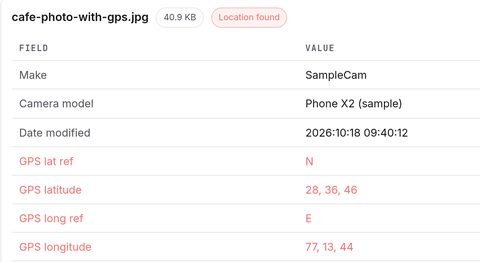
Actual metadata remover Privacy Every photo can carry the exact GPS coordinates where it was taken. Here is how to remove location and metadata before you share it, free and in your browser.
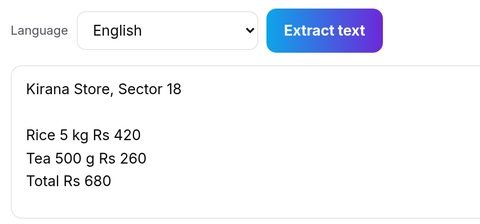
Actual OCR tool Privacy Learn how local OCR differs from server processing, prepare a clearer scan and proofread extracted names, dates and amounts before sharing.
Before you share Name client contact
PAN
Phone
Then check the exported file, not just the screen. Privacy Check identifiers, contact details and hidden document content before sharing. Learn why a visible black box is not enough and review the exported file.
Choose by image and use WebP the default
PNG when the pixels are the point
JPEG compatibility and handoff
Speed Compare image formats for photos, screenshots and handoffs. Check dimensions, output quality, file size and support in your target workflow.
Facebook · facebook · FB
Three spellings. Three rows in your report.
Pick one convention and keep it. Marketing Facebook, facebook and FB become three separate rows in your analytics. The UTM mistakes that wreck attribution, and the fix that sticks.
namaste → नमस्ते
Type phonetically. Get the script.
India Turn phonetic English letters into Indic script, check names with a fluent reader, and understand how transliteration differs from translation.
Where does your file go? Your file Processed on this device Your file Sent to a server Privacy Check how browser and AI tools process files, what local processing means, and why accounts, storage and analytics need separate privacy checks.
GST for freelancers Do you need to register yet? How much GST to charge What goes on the invoice Exporting? Renew the LUT each April Money A general checklist for GST registration, invoice fields and export questions. Confirm the rules for your activity before using the worked rate examples.
Data inventory · first 3 of 7 questions What data do you collect? Why do you need it? Who receives it? India · Compliance Review data collection, access and retention, with the official staged commencement source for India’s DPDP Rules and limits on this general checklist.
Getting paid Clear invoice UPI or payment link Polite follow-up Freelance Prepare invoice details, check tax assumptions and agree payment terms. Includes free overdue invoice letter templates and a worked milestone example.
QR codes Static codes keep working as long as the link does. Payments Choose a QR destination, understand static codes and redirects, and check the recipient or link before printing a payment or contact code.
Clip to enquiry Short clip Your bio page WhatsApp enquiry UPI Creators Connect a creator clip to a relevant bio page, service details and an optional WhatsApp enquiry using free browser tools.
Click-to-chat wa.me/91XXXXXXXXXX?text=… Hi! I’d like to ask about your service.
WhatsApp Add a labelled WhatsApp chat link, test its number and message, and keep a manual record of enquiries without assuming clicks are sales.
Good Core Web Vitals ≤ 2.5 s LCP
≤ 200 ms INP
< 0.1 CLS
SEO · Speed Understand LCP, INP and CLS targets, identify the measured bottleneck, and compare image compression and formats without guaranteed ranking claims.
25:00
One task. One surface. Then write down what you finished.
Focus Try a 25-minute task, limit unrelated tabs and record interruptions. A practical focus experiment you can adapt without promised productivity gains.
Create an account
Open and go.
Then save your work before you close the tab. Productivity Find browser tools for small tasks, check how each handles processing and storage, and save your results without assuming no login means no data collection.
Notes and references on one board. Workspace Try arranging notes and references on one board, compare how easy the task is to resume, and explore a 3D workspace for planning.
Trace before you trust A B C D 6 Design 12 1,500 18,000
D6 = B6 × C6 Excel Learn a practical process for auditing an inherited Excel model: trace formulas, find risks, check assumptions and document fragile logic.
Actual image compressor Speed Choose useful dimensions, compare visible detail and file size, then check the image in its real page layout.
Book a call Portfolio WhatsApp
Link in bio Your page. No per-sale cut.
Built free in your browser. Creators Build a free link-in-bio page in your browser. No monthly fee, no sales commission, no forced branding on your page. Set it up in about five minutes.
Actual QR generator QR Choose a clear destination, label the code and test the final print or screen version before sharing it.
Make it one tap Copy a phone number Tap a chat link Chat opens, message ready WhatsApp Create a WhatsApp click-to-chat link with a prefilled message so customers can reach your business in one tap—free, private and no signup.
Exclusive · 18% example Base ₹10,000
GST at 18% ₹1,800
Invoice ₹11,800
GST = base × rate ÷ 100 Tax & finance Understand inclusive and exclusive GST for Indian freelancers and small businesses, then calculate CGST, SGST or IGST with a free browser tool.
Actual PDF tool PDF tools Prepare a useful client PDF pack: decide what belongs in it, compare the output and check every page before sharing.
Actual BeginRooms 3D Workspace A worked BeginRooms example: keep the brief, flowchart, budget and handoff on the six faces of one project cube.
A real editor Kanban Mind map SWOT Roadmap + 54 more
3D Workspace Open a browser whiteboard with 58 templates and a walkable 3D room for notes, diagrams, documents and project planning.
Five things to compare Fast to start A capable editor Templates Big-project navigation Predictable pricing Comparison Compare the features that matter when a solo founder chooses a visual workspace: clarity, speed, templates, export, privacy and cost.
58 whiteboard templates
Kanban Mind map SWOT Roadmap
Templates Explore 58 practical whiteboard templates for founders, including kanban boards, mind maps, SWOT analysis, roadmaps and planning frameworks.
Another tool to learn
If you can use a whiteboard, you’re set.
3D Workspace A simple visual workspace for founders, freelancers and small teams who want to plan projects without a complex setup or onboarding maze.
No resources match these filters. Try a broader word or clear the filters.
Show more resources
All resources are listed above. Use your browser’s Find option to search this page.
LESS FRICTION. MORE DOING.
Found something worth trying? Take the next step with a free tool, a note or a project room.